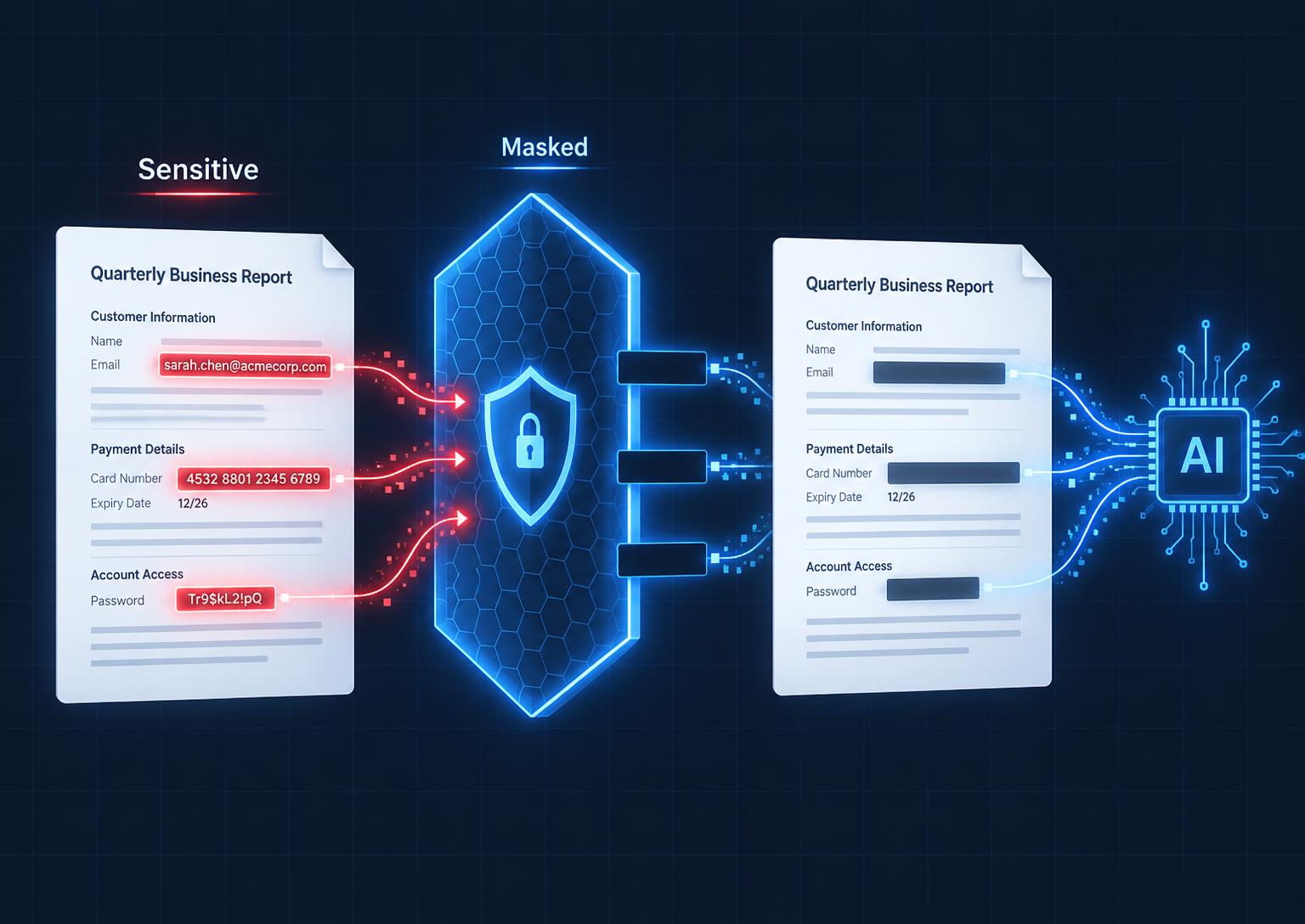
Your team uses AI every day. Your confidential data shouldn't go with it.
OpaciaShield detects and masks sensitive information in documents and text. Review the protected version before sharing it with ChatGPT, Claude, Gemini or Copilot.
Try a fictional example or your own text. Text is analyzed on this device, without external transmission or saving. Detection can miss information: review the result.
No card · no credits used · up to 100,000 characters
The text demo needs no account. For PDFs, images and company history: create an account with 3 free file scans, once per company.
Protect before sharing
01
Upload or paste
A file or text processed in your browser without uploading the original.
02
Detect and mask
Detections and local confidential terms with consistent placeholders.
03
Review and export
Correct, approve, then copy or download protected text.
Automated detection cannot guarantee complete protection: always review the result.
DOCUMENT SHIELD
Scan a document before it goes to AI
Consistent masking and human review before export.
Data families detected
Confidential documentsPersonal dataTechnical credentialsFinancial informationSource codeStrategic information
Review before export
In the "Documents" space, drag a file (PDF, text, CSV, JSON, code, or an image read by OCR) up to 8 MB, or simply paste text. No installation is needed for this step.
PROOF OF PROTECTION
Keep the proof. Not the sensitive data.
After scanning, a record links the original document's fingerprint to the protected text's fingerprint. Export this summary without disclosing detected values, then locally compare the masked file against its fingerprint.
Two SHA-256 fingerprints: original and masked version.
Export without content, filename or restoration mapping.
Comparison on your device, without sending the file being checked.
Always review the masked text before sending it. This technical record is not a legal certification or a digital identity.
Unsigned summary, without document content or sensitive values. The fingerprint checks the file, not the issuer's identity. Not an identity document, certification or guarantee of exhaustive detection.
Understand what stays on your device and the boundaries of our protection.
Local text processing
Detection, masking, confidential terms and review in your browser. No external transmission for Paste Shield.
Local extraction by default
Text, text-based PDFs and images are processed in your browser. Your original file is not uploaded. External extraction is optional, off by default, and only used if you explicitly turn it on after local extraction fails.
Evidence without document content
Exported summaries exclude sensitive values and restoration mappings. SHA-256 is neither encryption nor a signature.
Company access
Authentication and a shared server-enforced balance. No SOC 2/ISO 27001 certification or guaranteed US/EU residency.
1 document = 1 file you upload, successfully scan and record. Pasted text uses no document credits on any plan, including Discovery (up to 100,000 characters per entry). Paid credits accumulate without expiration; a valid subscription is required to use them. Failed scans use no credit.
No fixed-term commitment: cancel any time from your account.
Monthly billing in US dollars. Cancel any time.
Paid plans differ in document volume, not in their protection engine.